

I used to think building a website meant weeks of design work, a developer’s invoice, or a drag-and-drop editor that fought me at every turn. Then I came across some ai website builder and watched a working site appear in under five minutes. That really changed my mind about what “easy” means.
The catch is that “free” means very different things from tool to tool. Some give you a generous playground. Others give you a handful of credits that disappear after some prompts. I have tried the most popular options, including Google AI Studio, Emergent and Lovable, so you can skip the guesswork and find the best website builder for your budget of exactly zero.
What Free Really Means in an AI Website Builder
Almost every tool on this list uses a credit system. You type a prompt, the AI uses credits to build or change your site, and when the credits run out, you wait or pay. The free plan is simply a smaller pile of credits.
So the real question isn’t “is it free?” It’s “how far will the free plan actually take me?” A good free website builder lets you finish a small project, publish it, and share a link. A bad one makes you stop in the middle of your porject.
I judge each tool on four things: how many free credits you get, whether you can publish for free, whether you own the code, and what the catch is. Keep those four in mind as you read.
One more thing before we start. These tools build web apps and sites from plain English descriptions. They aren’t the old template-based builders where you drag boxes around. You describe, the AI builds, you tweak. That’s the whole workflow.
Google AI Studio: The Most Generous Free AI Website Builder
Google AI Studio is where I’d start if you’ve never touched this kind of tool. The updated Build tab is free to start, with no credit card required to begin vibe coding. You can also get to publish something real. You can deploy up to two apps from AI Studio to Google Cloud Run for free, with no credit card or billing account.
How to Build a Site with This AI Website Builder
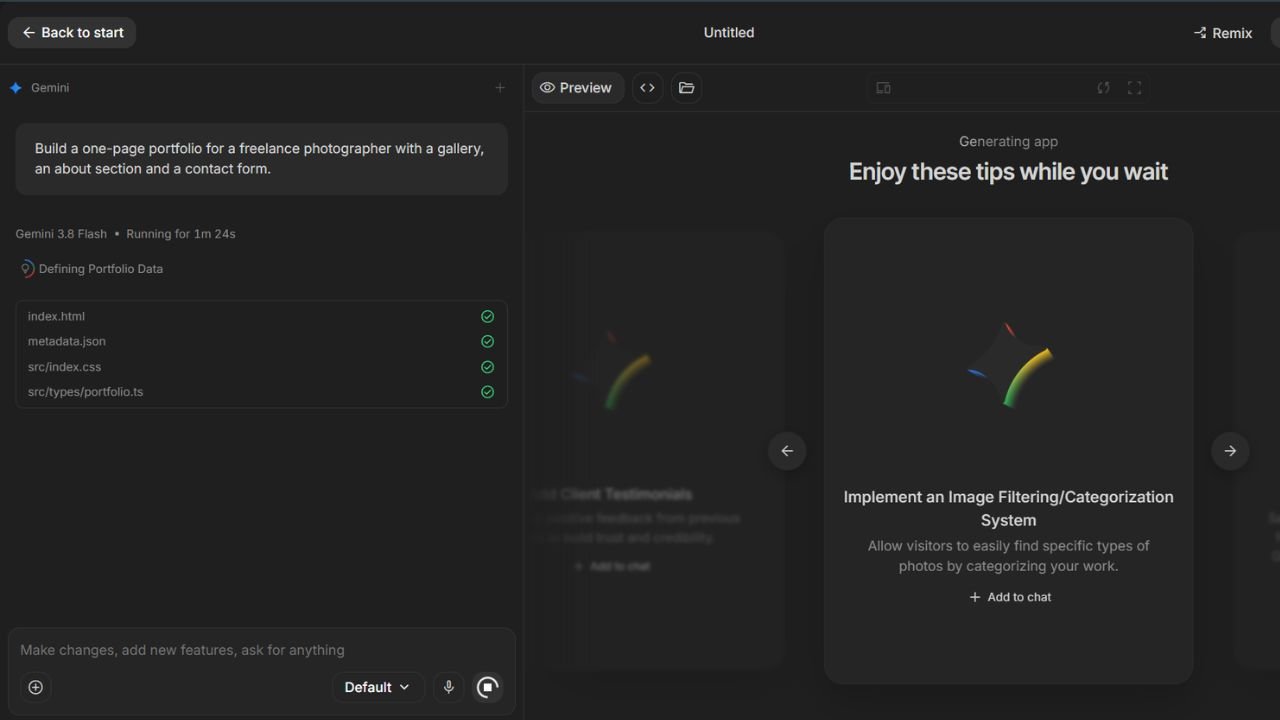
Here’s the process I followed for a simple portfolio page:
- Go to Google AI Studio and Sign in using your credentials.
- Click New App from the left sidebar.
- Type a clear prompt, such as “Build a one-page portfolio for a freelance photographer with a gallery, an about section and a contact form.”
- Wait for the first version to appear in the live preview.
- Ask for changes in plain English, like “make the gallery three columns” or “switch to a dark theme.”
- Click publish when you’re happy. Google handles the containerization and hosting, and you get a live URL right away.
If you need logins or stored data, the tool can connect to Firebase. It supports Cloud Run, Firebase and Cloud SQL for full-stack apps.
Pros and Cons of Google AI Studio
The biggest plus point is that nothing gets locked away. You can download your project as a ZIP, push it to GitHub, or deploy it straight to Cloud. For a free tool, that’s very rare.
Even it comes with some donwnside. The AI-generated security rules for your database are also basic, so review them before storing anything private. And once you pass the free tier, Cloud Run costs can increase with traffic.
My take: it’s the best free option for learning and for small public projects.
Emergent: An AI Website Creator That Hands You the Code
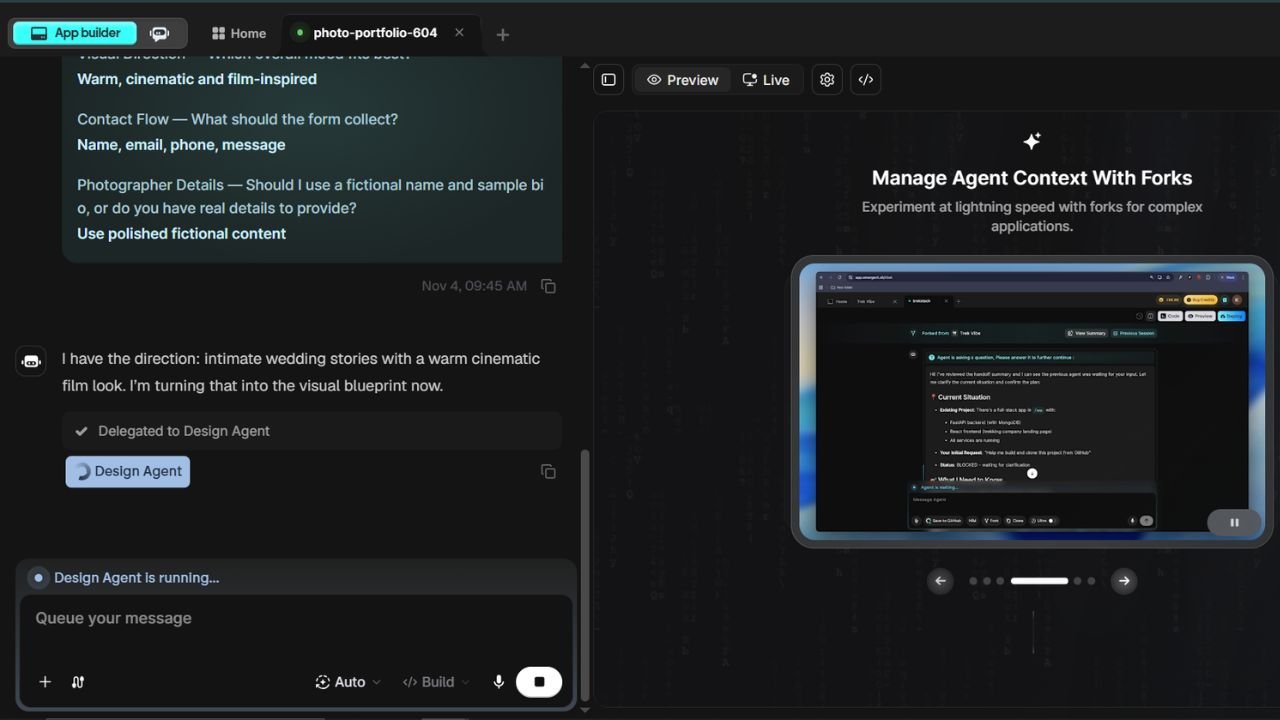
Emergent works like a small team of AI workers. One plans, others build the frontend, the database , and the auth system, and another tests the result. Emergent starts free with 10 credits, and paid plans begin at $20 a month for 100 credits. Ten credits won’t build a big site. They will build a decent prototype.
Emergent Walkthrough
- Create a free account on the Emergent site.
- Describe your project in detail, including pages, features, and your audience.
- Review the AI-proposed plan before it starts building. This step saves your credits.
- Let the agents build, then open the live preview.
- Make small edits through chat, because every big prompt burns your credits.
Emergent Pros and Cons
On the plus side, you can export the source code, sync it with GitHub, and edit it in a built-in VS Code workspace. Sign-in and payments are also handled for you, which usually takes a lot of time.
The trade-off is cost control. Pricing is credit-based, so heavy iteration on a big app can run higher than a flat monthly plan. For a simple one-screen site, it can be more tool than you need.
Lovable: Fast Results, Small Daily Allowance
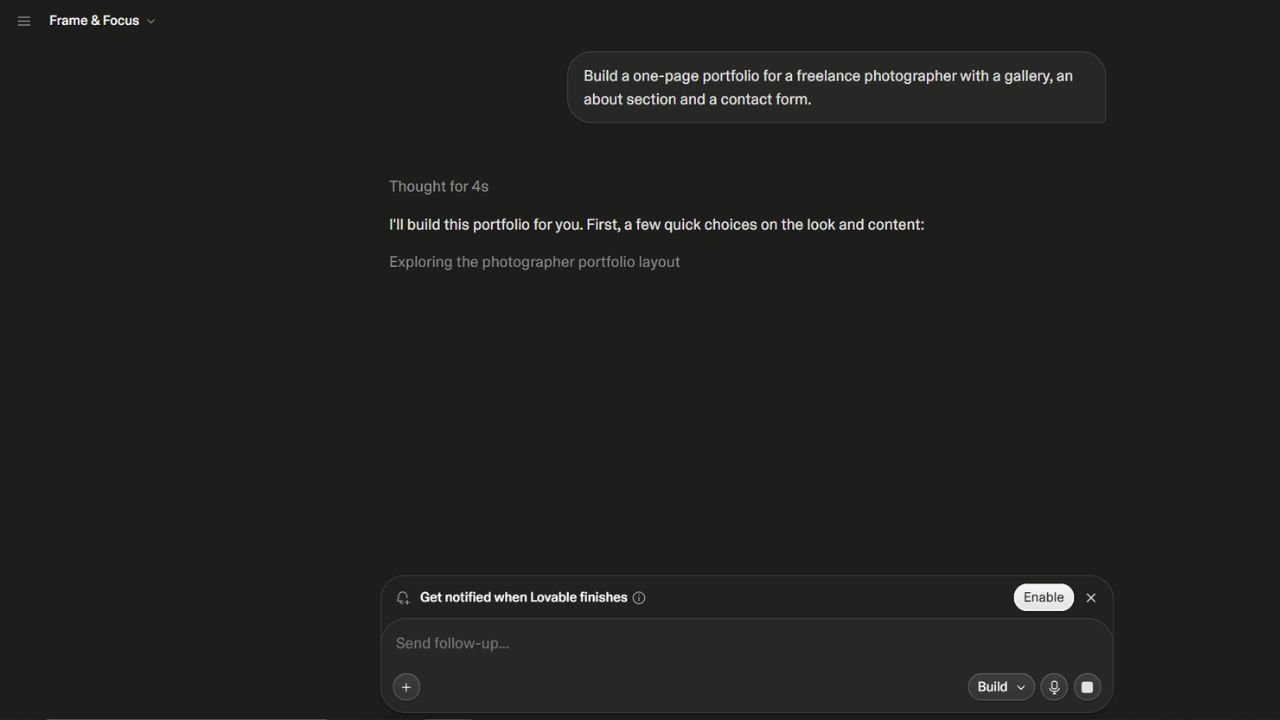
Lovable is the one I’d recommend if you want a good-looking result with the least fuss. I described a small business landing page, and the first draft looked better than some sites I’ve paid for.
The free plan is where it gets tight. You get 5 build credits a day, up to about 30 a month, which works out to only a few prompts per day. Treat it as a free website builder for testing ideas, not for finishing a whole project in one sitting.
Lovable Walkthrough
- Sign up with no credit card.
- Write your prompt and be specific about layout, colors, and sections.
- Check the live preview and request tweaks one at a time.
- Publish to a lovable.app address.
- Come back tomorrow when your credits refresh.
Lovable Pros and Cons
The upside is quality and speed. Lovable generates a full React codebase and uses Supabase for authentication, databases, and hosting. GitHub sync also keeps a record of every change.
The downsides are the limits. Free projects can be public by default, you can’t attach a custom domain, and the Lovable badge stays on published apps. Plan details change often, so check Lovable’s pricing page before you commit.
More Free Options and a Quick Comparison
Not every project fits the big three. If you want another ai website creator to test, these are worth a look:
- v0 by Vercel gives you $5 in free credits and 7 messages a day, which suits landing pages and dashboards.
- Dyad is open source and runs on your own computer. The free tier works entirely with your own API keys. It’s private but needs some technical setup.
- Anything offers 3,000 free credits for quick, shareable tools.
- Zite focuses on business tools. Its free plan includes 50 AI credits and supports unlimited users and apps.
Here’s how everything stacks up:
| Tool | Free Allowance | Free Publishing | Code Export | Best For |
|---|---|---|---|---|
| Google AI Studio | Free to start, no card | Yes, first two apps on Cloud Run | Yes (ZIP, GitHub) | Beginners and learners |
| Emergent | 10 credits | Limited by credits | Yes | Prototypes with logins |
| Lovable | 5 daily credits | Yes, lovable.app address | Via GitHub | Polished landing pages |
| v0 | $5 credits, 7 messages a day | Via Vercel | Yes | Design-heavy pages |
| Dyad | Unlimited with your own keys | Self-managed | Local files | Privacy-focused users |
If you want the best website builder for pure value, Google AI Studio wins. For the nicest first draft, I’d pick Lovable. For full code ownership with extras built in, Emergent.
Conclusion
After testing these tools, my honest verdict is simple. A good AI website builder doesn’t need your credit card, but it does need a clear prompt and a realistic plan. Start with Google AI Studio to learn the workflow, since it gives you the most room to experiment and publish for free. codex vs claude
Move to Lovable when you want a sharper design, and try Emergent when you need accounts, payments or a codebase you fully control. No free website builder will carry a large project to the finish line, so plan on a small, focused site first.
Here’s your next step: pick one tool today and spend your free credits on a single page. Write the prompt like you’re briefing a designer, with the purpose, the audience, and the sections. You’ll learn more from one real attempt than from reading ten reviews.