

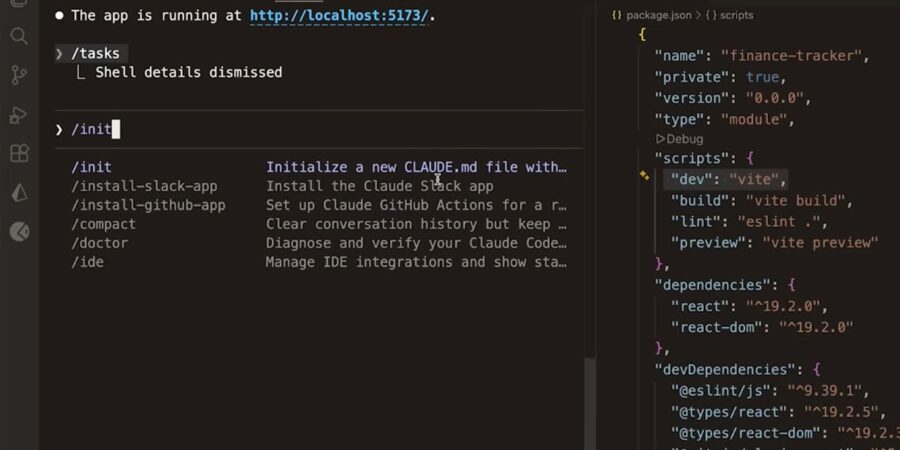
I used to spend more time describing my codebase to AI tools than actually using them. “Here’s the file. Here’s what it’s supposed to do. Here’s what broke.” It was exhausting like hiring someone new every single morning.
Then I started using Claude Code, and the dynamic shifted in a way I didn’t fully expect.
It Lives in Your Terminal. That’s Not a Small Thing.
The first night I tried it, it was around 11:30 pm, a Friday, and I was chasing a bug across four files. I typed something like “there’s something broken in how we’re handling auth tokens, can you find it?” and just… watched it go. It read through the files. Ran the tests. Found two issues, not one.
I didn’t paste anything. I didn’t describe the folder structure. It already knew.
Claude Code lives in your terminal and understands your codebase, helping you move faster by handling routine tasks, explaining complex code, and managing git workflows all through natural language. GitHub, that sounds like marketing until you actually use it that way at midnight when you’re tired, and you need the thing to work.
What Changed for Me, Practically
I don’t use it to write code from scratch most of the time. That’s not where I’ve found the most value, and honestly, a lot of people get this wrong. The real unlock for me is investigation. Asking it to trace why something behaves oddly, or to explain a piece of the codebase I didn’t write.
Agentic coding shifts the AI from autocomplete to an autonomous task executor. Instead of trying to predict your next line of code, these systems start with a goal. They break it down, work through the steps, and adjust along the way based on what actually happens.
That last part is what still stands out to me. It’s not a one-shot answer. It tries something, sees it didn’t work, and then takes another approach.
[IMAGE: Split view left side shows a traditional IDE with Copilot suggesting one line of code, right side shows a terminal with Claude Code reading across multiple files and outputting a plan with steps numbered 1 through 4]
The Part Nobody Talks About
To get the most out of Claude Code, you have to approach it like you’re working with a junior developer. It’s capable, but it needs direction.
That comparison actually holds up. If anything, I’d tweak it a bit it’s a junior dev who never gets tired, doesn’t get defensive, and somehow has your entire codebase in its head already.
Engineers surveyed by Anthropic reported using Claude for about 60% of their work and experiencing around a 50% productivity boost though most could fully delegate only a small fraction of tasks, with the rest still requiring human review.
That tracks with my experience. I’m not handing it the wheel. But I’m definitely no longer doing a lot of the tedious middle work I used to do.
I’m Still Figuring Out Where the Line Is
I’m still trying to find that balance. Sometimes I let it run too far and then have to clean up the mess after. Other times, I keep jumping in and end up slowing things down for no reason.
What I’ve started to realize is that the real shift isn’t just about using the tool it’s about getting better at how you describe what you need in the first place. The clearer I am about what I actually want, the better the results.
That part isn’t new. But with Claude Code, you start noticing it much sooner because the feedback loop is so tight.
The developers who are going to do well with this aren’t the ones who hand everything off. The ones who thrive are learning to orchestrate AI rather than code alongside it, and that remaining slice of human judgment becomes worth significantly more.
I’m still working out what that looks like in practice. But I haven’t gone back to the old way of doing things. Not even a little.